
Enter the order
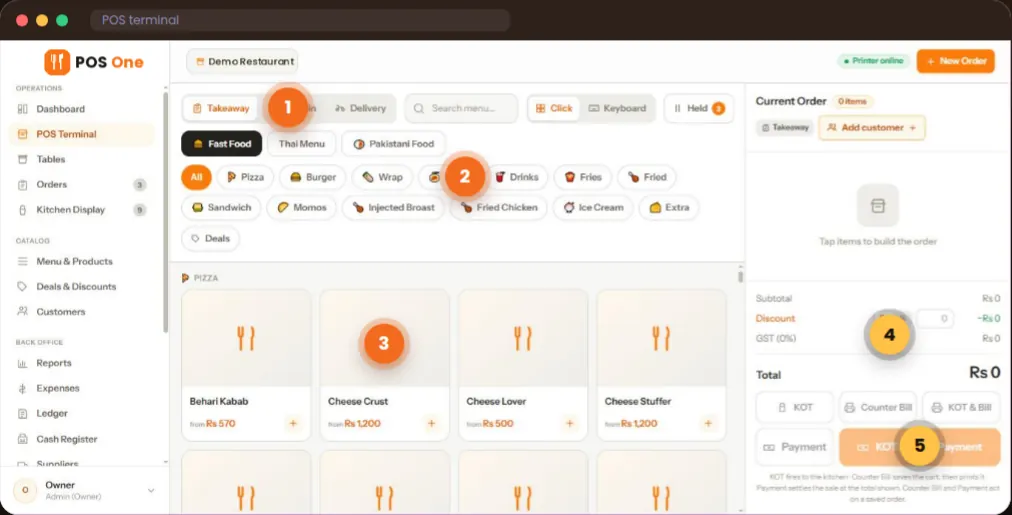
Choose dine-in, takeaway or delivery. Find items by menu and category, add sizes or extras, and check the live cart total.
Manage orders, kitchen tickets, billing, stock and daily reporting in one web app. Whether you run table service, a busy café counter or a bakery, see how the workflow fits your team.
Dine-in, takeaway and delivery · Browser-based on desktop, tablet and phone
A useful POS does more than issue a receipt. Restaurant POS One is built around the handoffs your team makes every day.
Choose dine-in, takeaway or delivery. Find items by menu and category, add sizes or extras, and check the live cart total.
Send the kitchen order ticket to a station. Cooks can move tickets through new, cooking and ready, while the team checks the order book.
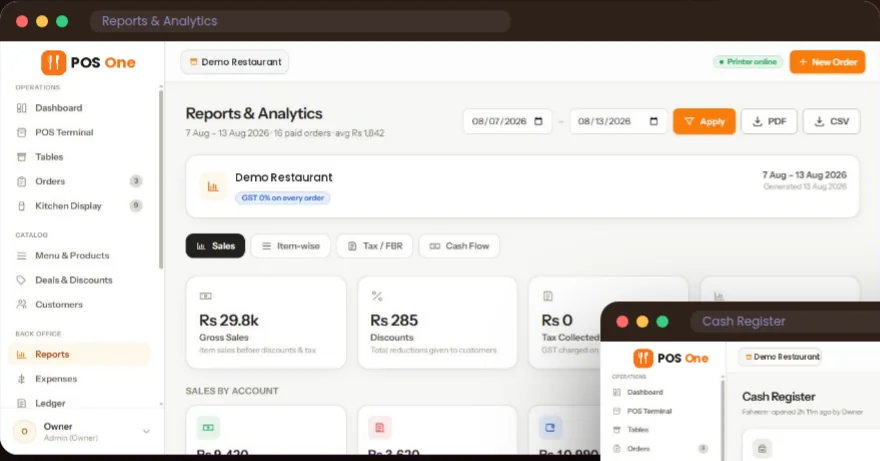
Print the bill, record payment and reconcile the cash register. Review sales, items, expenses and stock records when service ends.
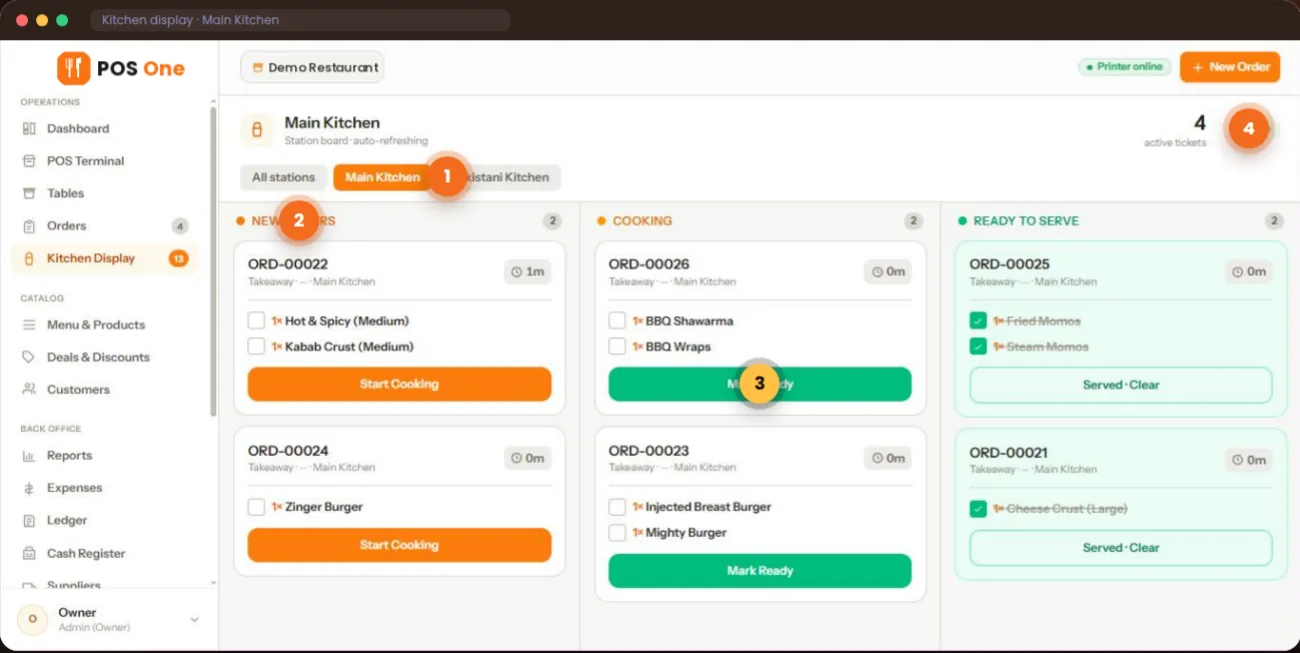
Restaurant POS One connects the order screen, live table plan and kitchen display. That helps a waiter see which tables are occupied, a cashier produce the bill and the kitchen follow the tickets that need attention.
Staff access follows their role: the supplied product overview shows distinct owner, manager, cashier, waiter, kitchen and rider views, with shared-device PIN sign-in.
See the full restaurant workflow →The same point of sale platform supports different service styles. Compare the order flow that matters most for your restaurant, café or bakery.
Move a modified dine-in order from the floor plan to the correct kitchen station, then close the bill and shift.
Explore restaurant POS software →Handle sizes, extras, takeaway and prepared food without losing the details in a busy queue.
Explore the café POS system →Sell items and bundles at the counter; check purchasing, recipes and sales records behind the scenes.
Explore bakery POS software →Restaurant POS One combines restaurant management tools with the point of sale: menu deals, inventory and suppliers, purchases, recipes, customer records, a cash register and reports. Owners and managers can look beyond a sales total to review items, expenses and cash movements.
Bring a real menu and a complicated order. A practical walkthrough should answer the questions you will face after installation.
Test dine-in and takeaway, changes to an item, a deal and the resulting kitchen ticket. Ask staff how many steps each action takes.
Confirm compatible tablets, printers and payment devices, connectivity requirements, approved pricing, implementation and support in your location.
Check the cash register, an item report, expenses and an inventory example. Take away a written list of what is included.
The pricing page currently carries an illustrative monthly figure until the commercial terms are approved. A quote should make the software, hardware, implementation and support costs clear.
Review Restaurant POS One pricing →$49/ month
Illustrative price — final pricing to be confirmed
Ask for the terms that apply to your business and region.
Restaurant POS One is a web-based point of sale and restaurant management system covering orders and billing, kitchen tickets, table plans, menus, stock records, cash shifts, reports and staff roles.
The core web app supports menus, orders, bills and reports across these businesses. A table-service restaurant can use the floor plan and kitchen tickets; a café can test sizes and add-ons at the counter; a bakery can test combos and stock records. Ask to see the workflow that matches your own service.
The supplied product overview shows dine-in, takeaway and delivery as separate order types. Ask the team to demonstrate how each works for your business.
Hardware bundles and integrated payment processing are not confirmed in the product overview. Ask for device compatibility and a complete written quote.
We’ll walk through the counter, kitchen, billing and reports with your questions in mind.