
Set up the menu
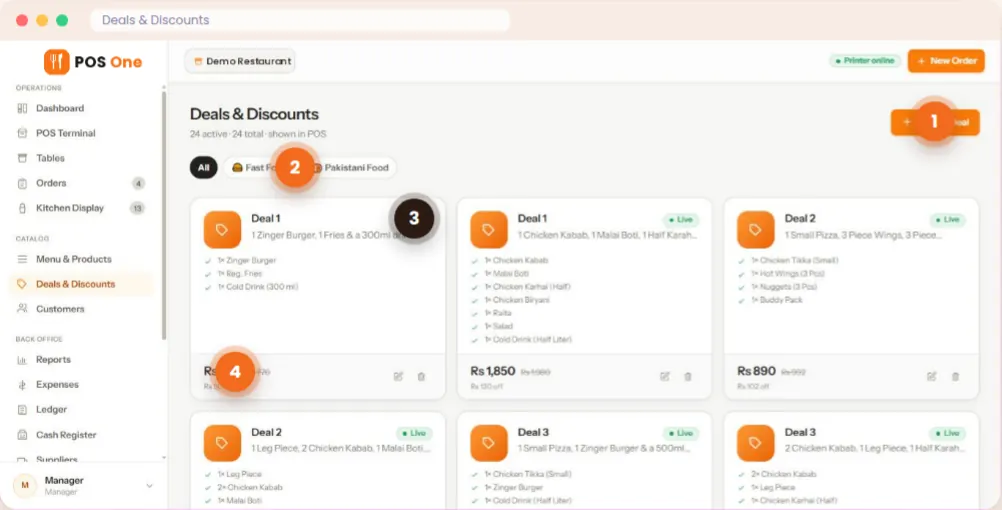
Group bakery items into menus and categories, add available item options and create a bundle with its own price. Staff can see active deals in the POS.
Sell individual items or menu deals, organise products and review stock, purchases and daily sales in one web app. See how Restaurant POS One handles the routine work behind a bakery counter.
A practical bakery workflow, using actual Restaurant POS One menu and deal screens.
Some customers want one pastry. Others buy a combination or order food that needs preparation. Your POS should make both clear at the counter and in the records you check later.
Group bakery items into menus and categories, add available item options and create a bundle with its own price. Staff can see active deals in the POS.
Add products to the cart, apply a deal or discount and produce a counter bill. For items that require preparation, send a kitchen ticket to the appropriate station.
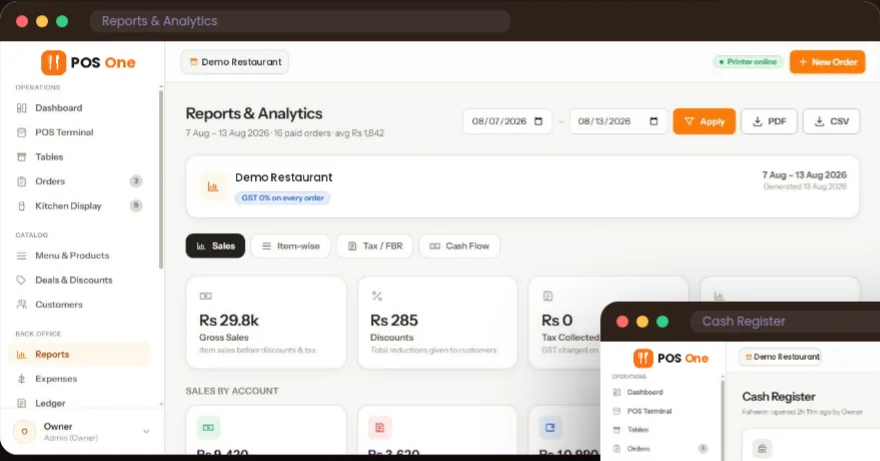
Review which items sold, what the register recorded and the purchases, inventory and supplier records used to run the business.
Restaurant POS One lets you build a combo deal from products and give the bundle its own price. Active deals appear at the counter with their price and savings shown, so staff can select the offer rather than calculate it manually.
Use the demo to set up a real bakery example: a pastry and drink combination, or several boxed items sold as one deal. Check how the original items, the discount and the final bill appear.
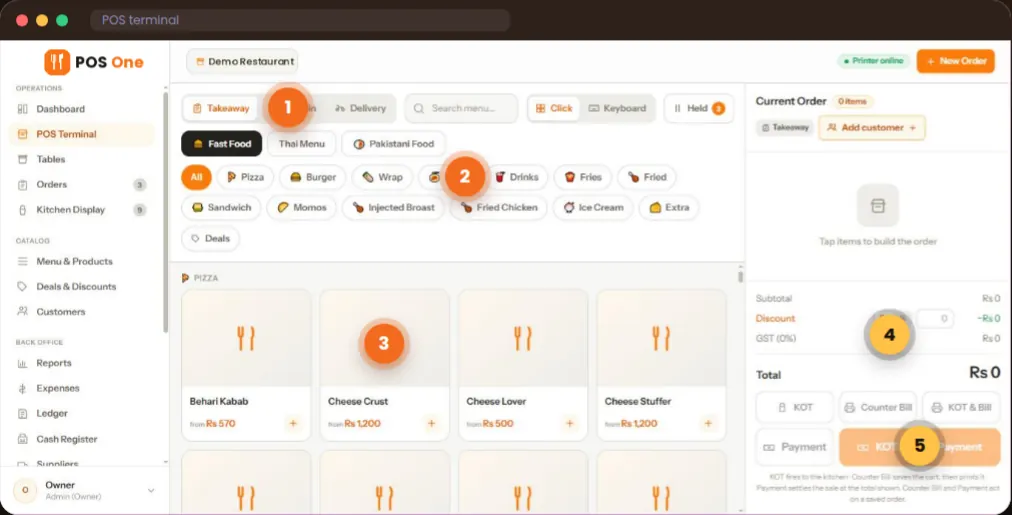
The terminal groups items by category and shows the cart total as the order is built. For products that need kitchen work, Restaurant POS One also supports a kitchen ticket and a station display with new, cooking and ready statuses.
That makes the platform relevant for bakeries that also prepare café food. If you operate primarily as a coffee shop, the café POS system page shows the counter and kitchen workflow in more detail.
Restaurant POS One’s overview lists inventory, units, purchases, recipes and suppliers alongside sales and cash reports. A buyer should see those screens together, then test how they handle the bakery’s actual products.
Keep a record of the items and units your team uses. Ask how stock is adjusted when something is damaged, discarded or made in a batch.
Review recipe and purchase records with a real ingredient example. Confirm the precise relationship between a recipe, a completed sale and available stock.
See sales and item reports, register movements and expenses for a date range. Export available reports for accounting and review.
Bring the products and buying situations your staff handle every day. A demonstration should show where Restaurant POS One fits well and where you may need a different process.
The product overview does not confirm weighing-scale support, batch production forecasting, expiry-date tracking, online pre-orders or bakery delivery integrations. Ask the team before relying on any of these.
Yes. The supplied product overview shows products grouped by menu and category and combo deals with their own prices. Confirm any special item options you need during a demo.
Restaurant POS One includes inventory, recipe, purchase and supplier modules. The exact stock and recipe behaviour for your items should be verified with an example from your bakery.
The app covers counter billing and prepared orders with kitchen tickets, as well as dine-in and takeaway order types. Test your service mix and devices with the team.
Weight-scale compatibility is not confirmed in the supplied product overview. Check this with Restaurant POS One before deciding whether the system suits a bakery that sells by weight.
See the pricing page, then request a written quote for your number of tills, printers, implementation and support. An illustrative figure is not the final commercial offer.
Bring a product list and a bundle idea. Ask to see the counter, purchasing records and sales report.