
How to Get Started With AI in Your Restaurant: A Practical First 30 Days
A practical way for restaurant owners to start with AI: pick one job, use the data you already have, try tested prompts and avoid the mistakes that cost money.

Start with one repetitive job that eats your time, like replying to reviews, writing the weekly specials post or reading last week’s sales. Hand that job to a general AI assistant such as ChatGPT, Claude or Gemini, check everything it produces, and only buy a specialist AI tool once you know exactly what problem it solves. Most restaurants don’t need new software to begin. They need a clear task and clean data from the systems they already run.
You’re not late to this. The National Restaurant Association’s State of the Restaurant Industry 2026 report found that 26% of operators use AI-related tools. Marketing is the most common use (19% of full-service and 15% of limited-service operators), and only 6% use AI to take customer orders, as summarised by Restaurant Dive. Most restaurants that use AI apply it to writing and admin, not robots or voice ordering.
Pick the job before the tool
The expensive mistake is buying an “AI platform” and then looking for something for it to do. Reverse it. Write down the three tasks that take the most time each week and don’t need your judgement as a host or chef. For most small restaurants, the list looks something like this:
| Task | Time it often takes | Good first AI job? | Why |
|---|---|---|---|
| Replying to Google and delivery-app reviews | 1–3 hours a week | Yes | Low risk if you read every reply before posting |
| Social captions and specials posts | 1–2 hours a week | Yes | Easy to check, and the style can be matched to yours |
| Reading last week’s sales and spotting what changed | 1–2 hours a week | Yes, with exported data | AI is good at summarising tables you give it |
| Drafting staff notices, rotas and training sheets | 1 hour a week | Yes | You edit and approve |
| Menu descriptions | Occasional | Yes | But never let it write allergen information |
| Ordering stock and forecasting prep | Daily | Not yet | Needs reliable stock and recipe data first |
| Answering the phone / taking orders | Constant | Not first | Real customers, real money; pilot only after the basics work |
The time estimates are rough guides, not measurements. Replace them with your own before you decide.
Pick one row. Run it for two weeks. If it saves time without creating mistakes, add a second.
Week 1: set up one assistant and give it context
Choose one general-purpose assistant and stick with it. ChatGPT, Claude and Gemini all have free tiers that are enough to find out whether AI helps you. Pay only when you hit the limits.
Before asking for anything, write a short restaurant brief and paste it in at the start of every session, or save it as custom instructions if the tool supports that. The James Beard Foundation’s guidance for operators recommends the same approach: the more the assistant knows about who you are, the less generic its output.
A useful brief fits on half a page:
We are a 40-cover neighbourhood Italian restaurant in [town]. Dine-in and takeaway, open Tuesday–Sunday. Our regulars are local families and couples; weekday lunch is quiet, Friday and Saturday dinner are full. Tone: warm, informal, never salesy, no emojis. We make pasta fresh daily and buy vegetables from two local farms. Never invent dishes, prices, offers or opening hours. If you don’t know something, ask me.
The last two lines matter most. Without them, AI assistants will happily add a “2-for-1 Tuesday” you never offered.
Your first task: review replies
Paste in five recent reviews, good and bad, and ask:
Draft a reply to each review. Thank the guest by name if given, mention one specific thing they said, and keep each reply under 60 words. For the negative review, apologise without admitting fault, and invite them to email [address] so the manager can follow up. Don’t offer refunds or discounts.
Read each draft, fix the voice and post it yourself. Don’t connect an AI tool that posts replies automatically in the first month. One reply that misreads a complaint about food poisoning will cost more than all the hours saved.
Week 2: use your POS data, not guesses
This is where AI starts earning its keep, and it depends entirely on the data you can get out of your existing systems. An assistant can’t tell you your best-margin dish if nobody has recorded what each dish costs to make.
Most restaurant POS systems let you download sales reports as a CSV or PDF. Export last month’s item sales. Then, if your system tracks it, add discounts, voids and recipe costs. Remove anything that identifies customers or staff, upload the file and ask:
This is our item sales report for September. Rank dishes by units sold and by total revenue. Flag any dish that sells fewer than 5 portions a week. Compare weekday and weekend sales. Tell me three things that stand out, and show which rows you used for each point.
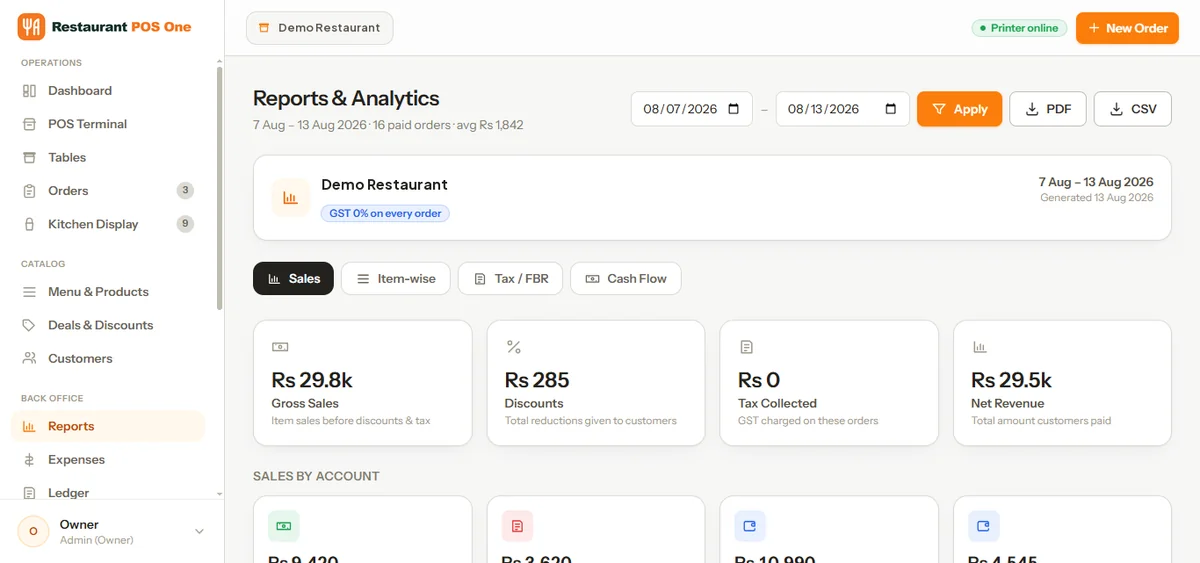
“Show which rows you used” is your protection against made-up numbers. If the assistant can’t point to the data, don’t trust the conclusion.
If your POS also records recipes and ingredient costs, you can go a step further and ask which dishes sell well but have the thinnest margin. That’s the start of menu engineering. You can only do it when the recipe and stock records behind each dish are reliable. Restaurant POS One, for example, keeps recipes, purchases and supplier records alongside sales and exports reports as PDF and CSV, which is the kind of structured data these prompts need. Any system that exports clean item-level sales will work for the first steps.
Clean the data before you blame the AI
AI makes messy records look confident. Before exporting, check for:
- Duplicate menu items. “Margherita”, “Margarita pizza” and “Marg (large)” show up as three dishes and split your sales.
- Discounts entered as separate items, so the discounts never reach your discount report.
- Stock units that don’t match recipes, for example flour bought in 25 kg sacks but used in grams with no conversion set.
- Voids with no reason recorded. The AI can count them but can’t tell you why they happen.
Fixing these takes an afternoon, and it improves your normal reporting as well as anything you ask an AI.
Week 3: marketing and menu writing, with guardrails
With your brief in place, ask for a month of social posts built around real events: a new seasonal dish, a quiet Tuesday you want to fill, a local football match. Give the assistant the actual dishes and dates. Ask for three versions of each post and pick the one that sounds like you.
For menu descriptions, give the recipe’s key ingredients and the cooking method, then ask for descriptions of 15–25 words. Then check every line against the recipe card.
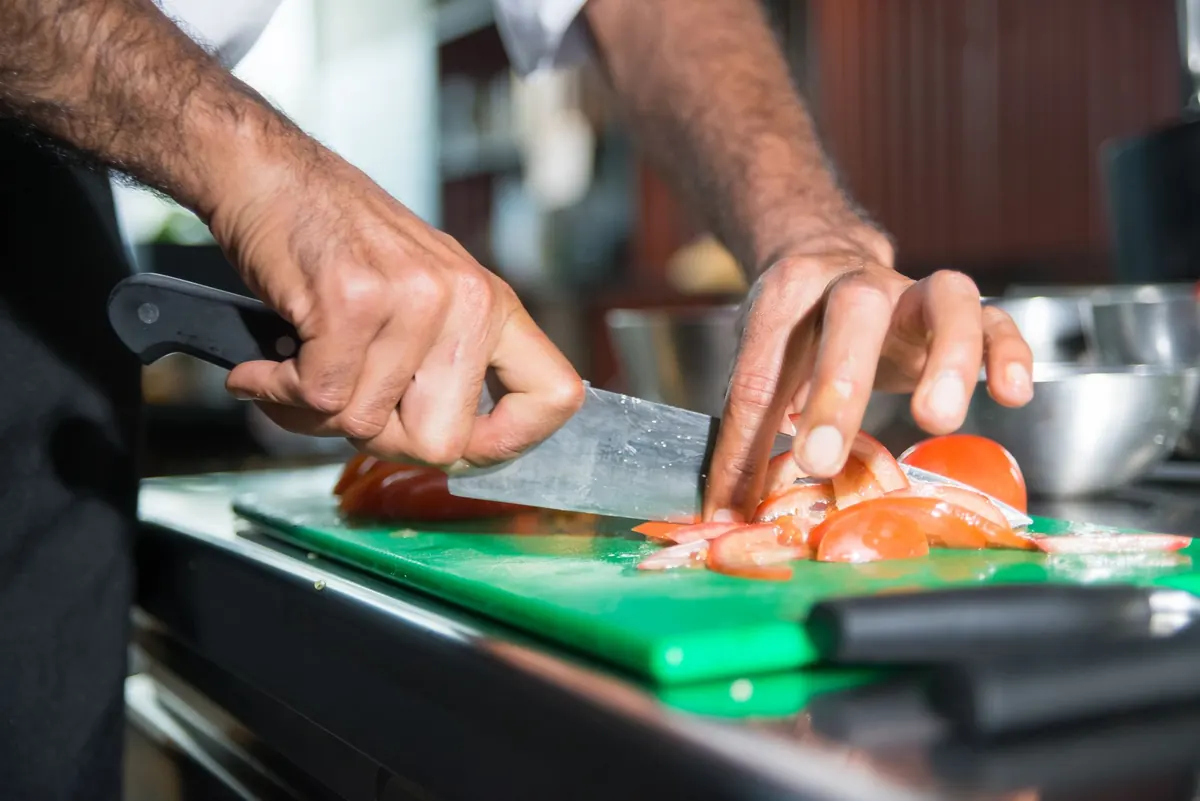
Never let AI write or change allergen information. It doesn’t know that your pesto contains pine nuts or that the fryer is shared with the fish. UK law recognises 14 major allergens and US law recognises nine. Allergen information has to come from your recipes and your suppliers’ specifications, and someone on your team who knows the kitchen has to check it.
Week 4: decide what to keep, then look at specialist tools
At the end of the month, answer three questions for each task you tried:
- Did it save time after checking? A 10-minute task that now takes 8 minutes including review isn’t worth changing your process for.
- Did it create any errors that reached a customer? Even one means the task needs a tighter prompt or a human step back in.
- Would a specialist tool do this better than a general assistant?
Only now is it worth looking at dedicated AI products: voice ordering, AI scheduling, demand forecasting, automated review management. Before you book a demo, check what your current POS, reservation and marketing software already includes. Many vendors have added AI features to software you already pay for, and those features don’t always get announced clearly.
Ask any AI vendor:
- What data does the tool read, and where is it stored?
- Is our data used to train their models, and can we opt out?
- What happens when it gets something wrong, such as a wrong order, a double booking or a bad forecast? Who fixes it, and how quickly?
- What does it cost per location, per order or per call, and what’s the minimum contract?
- Can we trial it at one site or on one shift before committing?
What not to hand to AI yet
- Allergen and dietary information, as above.
- Customer personal data. Don’t paste guest names, phone numbers or order histories into a general assistant. Anonymise exports first, and check your privacy obligations (GDPR in the UK and EU) before connecting any tool to customer records.
- Payroll and legal decisions. AI is useful for reviewing a draft contract or checking a payroll summary against your own rules, but it will state wrong figures confidently. Treat it as a second pair of eyes, not the final word.
- Anything that goes out to customers without a human reading it first, at least until a task has run cleanly for weeks.
Why does AI give some restaurants better answers than others?
Because the answers can only be as good as the data behind them. AI doesn’t know your restaurant. It drafts, summarises and spots patterns in whatever you give it, while you keep the decisions and the hospitality. If your orders, kitchen tickets, recipes and cash-ups live in one system with clean item names and exportable reports, AI has something real to work with. If they’re spread across notebooks, spreadsheets and a till that only prints a Z-report, fix that first.
If you’re reviewing your setup anyway, see how Restaurant POS One works. It follows an order from the till to the kitchen ticket and the bill, then on to the daily report you’d export for the prompts above.
See how your own orders would work.
Bring an example order, the changes customers request and the devices you plan to use.
Book a product demo →