
Best iPad & Tablet POS Systems for Restaurants (2026): iPad, Android or Browser-Based?
8 iPad and tablet POS systems compared on platform lock-in, offline reliability and real setup costs, not just app store ratings.
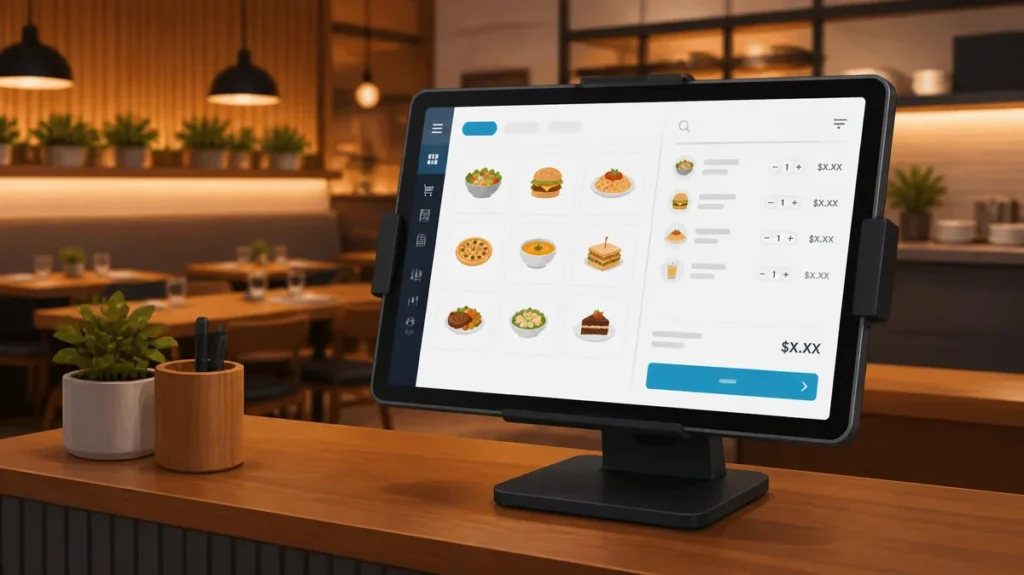
The best restaurant POS tablet isn’t locked to one brand. Most “iPad POS” roundups only cover Apple hardware, and most “tablet POS” guides only cover Android, but your restaurant shouldn’t have to pick a tablet brand before it picks a POS. Square and GoTab are the easiest to set up if you’re starting from scratch. TouchBistro is the deepest iPad-native option for table service. Toast and Lightspeed are better once you need restaurant-grade hardware and multi-location reporting. And if you want a system that runs the same way on an iPad, an Android tablet, or whatever device your restaurant already owns, that’s Restaurant POS One, ranked first below, with where it still falls short.
This isn’t just about which app looks nicest on a screen. A tablet POS has to survive a dinner rush, work when the Wi-Fi drops, and let a new hire take orders correctly on their first shift, the same fundamentals covered in choosing a restaurant POS, just applied specifically to tablets.
Pricing and specs are checked as of 21 October 2026, noted per vendor below.
Start here: which one fits your restaurant?
| If you’re… | Look at first | Why |
|---|---|---|
| Starting from zero, no hardware yet | Square, GoTab | Lowest upfront cost, no long-term contract |
| Already running your restaurant entirely on iPad | TouchBistro | Built iPad-first, deepest table-service feature set on this list |
| Worried about being locked into one tablet brand | Restaurant POS One, GoTab | Both run on hardware you already own, iPad or Android |
| Planning a second location | Lightspeed, Toast | Multi-location reporting and restaurant-grade hardware |
| Want hardware included and supported locally | Clover | Sold through resellers who also install and support it |
| Kitchen-heavy with real food-cost pressure | Restaurant POS One | Recipes, purchases and suppliers alongside sales |
iPad vs Android vs browser-based: the comparison most guides skip
Every “best tablet POS” list eventually has to answer this, and most dodge it by only covering one platform. Here’s the honest trade-off.
iPad-only systems (TouchBistro, and effectively Toast and Square once you buy their branded stands) give you the most polished app experience and the largest accessory ecosystem. The cost is replacement speed: lose or crack an iPad and any Apple reseller can replace it same-day, but you’re paying Apple prices for every unit.
Android-based systems are usually cheaper to buy and more flexible on hardware specs, but the software experience varies more between vendors since Android tablets range from well-built commercial units to budget consumer hardware that struggles under real service load.
Browser-based systems like Restaurant POS One sidestep the platform question entirely: the software runs the same way whether the device underneath is an iPad, an Android tablet, or a desktop you already have at the counter. The trade-off is that you won’t get a dedicated app-store app, which matters less than it sounds since the POS runs in a browser tab either way.
There isn’t a universally correct answer here. A single-location restaurant that already standardised on iPads for everything else should probably stay in that ecosystem. A restaurant that wants to avoid being tied to one hardware vendor, or that already has tablets sitting around, gets more value from an iPad-or-Android-or-browser option.
What a tablet setup actually costs, with real numbers
Most comparisons quote the software price and stop there. The hardware side is where a tablet POS can either save you real money over a traditional terminal, or quietly cost just as much once you add it all up.
A traditional fixed POS terminal typically runs $1,000 or more per station once you include the register, cash drawer and card reader as one bundled unit. A tablet-based setup breaks that cost into separate pieces you can shop individually:
| Component | Typical cost | Notes |
|---|---|---|
| Tablet | $300-800 | iPad or commercial-grade Android; budget consumer Android tablets run cheaper but hold up worse under daily service |
| Card reader | $50-150 | Bluetooth or USB, varies by processor |
| Receipt printer | $80-95 | Thermal, wired or Bluetooth |
| Stand or mount | $30-80 | Countertop or wall-mounted |
| Total per station | ≈$500-1,000 | Before software |
That puts a single tablet station at roughly half the cost of a traditional terminal before software, which is the real reason tablets have become the default for new restaurants rather than a budget compromise. Software then ranges from $0 (Square Free, GoTab’s basic card-reader tier) to $150+/month depending on how much reporting and multi-location management you need, covered vendor by vendor below.
The 8 best iPad and tablet POS systems for restaurants
1. Restaurant POS One – runs on any tablet you already own
Pricing: from $49/month (illustrative, final pricing confirmed in your demo).
Restaurant POS One runs in a browser, so the iPad-vs-Android decision simply doesn’t apply. The same order, kitchen ticket or display, bill and report workflow runs on whatever tablet, desktop or phone your restaurant already has, which matters most for restaurants that don’t want to standardise on one hardware vendor or that are replacing a system without wanting to also replace working hardware.
| Platform | Browser-based, runs on iPad, Android tablet, desktop or phone |
| Pricing | From $49/month (illustrative) |
| Processing | Not confirmed for US merchants, ask directly |
| Contract | No stated term on current product information |
| Offline mode | Not confirmed |
| Best for | Restaurants that want hardware flexibility and don’t want to be locked into one tablet ecosystem |
Choose something else if: you need a confirmed offline mode or a confirmed US card processor today. Neither is confirmed on our current product information, so ask directly in a demo before committing.
Compare switching options with a real order on whatever tablet you already have, and we’ll run it through the full workflow.
2. Square – the fastest way to start with a tablet you can buy today
| Platform | iPad (via Square Stand, works with 2nd-generation iPad and newer) or Square’s own Terminal hardware |
| Pricing | Free $0, Plus $49/month, Premium $149/month |
| Processing | 2.6%/2.5%/2.4% + 15c in person, by plan |
| Contract | None |
| Offline mode | Not confirmed publicly |
| Best for | Getting started this week with a device you can buy from any Apple reseller |
Square’s restaurant-specific features, like a kitchen display, aren’t available on the Free plan. That’s the real decision point once service picks up, not the till itself.
3. TouchBistro – built iPad-first, not iPad-adapted
| Platform | iPad only, by design |
| Pricing | POS from $69/month, Essentials Bundle from $119/month |
| Processing | Unpublished, quote-based |
| Contract | Not published, confirm directly |
| Offline mode | Supported, can run without cloud connectivity |
| Best for | Table-service restaurants that have already committed to iPad hardware |
TouchBistro doesn’t try to be platform-neutral, and that focus shows in table and floor plan management. The trade-off is that there’s no Android path if you ever want one.
4. Toast – restaurant-grade hardware, tied to Toast’s own tablets
| Platform | Toast’s own Flex and Go2 tablets, not a bring-your-own-device system |
| Pricing | POS plan $69/month |
| Processing | 2.49% + 15c in person, Toast Payments required |
| Contract | 2-3 years typical on paid plans |
| Offline mode | Stated on Toast’s pricing page, a rare public commitment in this category |
| Best for | Full-service and fast-casual restaurants that want purpose-built hardware over a general tablet |
Toast’s hardware is built and rated for restaurant use in a way a repurposed consumer iPad isn’t, which is the trade worth weighing against the contract length. For the fuller switching picture, see our Toast alternatives comparison.
5. Lightspeed Restaurant – iPad-based, built for multi-location growth

| Platform | iPad app |
| Pricing | Starter $69, Essential $189, Premium $399 per month |
| Processing | Not published on plan pages, quoted |
| Contract | Not published, confirm directly |
| Offline mode | Not confirmed publicly |
| Best for | Restaurants planning a second location, where multi-site reporting matters more than hardware flexibility |
A kitchen display costs $30/screen on every tier, and the advanced inventory tools that make Lightspeed worth choosing only start at Essential.
6. SpotOn – tablet and handheld hardware, your choice of contract length
| Platform | SpotOn terminals and handhelds, priced individually |
| Pricing | Essentials $55/station (month-to-month), All-In $0/station (2-year term) |
| Processing | 2.45% + 15c (Essentials), 2.79% + 20c (All-In) |
| Contract | Month-to-month on Essentials, 2 years on All-In |
| Offline mode | Not confirmed publicly |
| Best for | Restaurants that want hardware and support from one vendor, with the contract length they actually choose |
Pick Essentials deliberately. The All-In plan’s lower station fee comes with a two-year commitment that defeats the point if you wanted tablet-level flexibility in the first place.
7. Clover – proprietary hardware, widely supported through resellers
| Platform | Clover’s own hardware line (Flex, Mini, Station), not a bring-your-own-tablet system |
| Pricing | ≈$135/month bundled (36-month term) or roughly $1,699 + $89.95/month |
| Processing | 2.3% + 10c for restaurant-coded merchants |
| Contract | Varies by reseller |
| Offline mode | Not confirmed publicly |
| Best for | Restaurants that want local install and support rather than a self-serve setup |
Clover is the odd one out on this list since it’s not really a tablet-choice system, you’re buying Clover’s own devices. Its strength is the reseller network: whoever sells it to you also installs and supports it, which matters in markets slower-moving national vendors don’t reach well.
8. GoTab – tablet-native, no proprietary hardware required
| Platform | iPad (iOS 17+) or Android (such as Samsung Galaxy Tab A8, Android 12+), your choice |
| Pricing | Basic $15/month, Pro $99/month, Sync $229/month |
| Processing | Adyen NYC1 card reader, Bluetooth or USB |
| Contract | Not confirmed, ask directly |
| Offline mode | Confirmed, OPServer keeps the till running during an outage and syncs on reconnect |
| Best for | Bar wells, counter service and host stands that want a real offline mode without buying new hardware |
GoTab is closest in spirit to Restaurant POS One on this list: no proprietary hardware required, just software that runs on a tablet you choose. We’ve only verified these details against GoTab’s own product page, so confirm current terms directly before comparing.
Best for: counter stations and overflow service during busy periods rather than full tableside service, which GoTab itself positions as the job for its handheld product instead.
Free and budget tablet POS options
If you’re not ready to commit to a paid plan, two systems on this list have genuinely usable free tiers rather than a crippled trial. Square Free costs $0/month and covers basic order-taking and payments, though the kitchen display add-on isn’t available until you upgrade. GoTab’s Basic tier starts at $15/month, the cheapest paid tier here, though a bare card-reader setup with no monthly fee at all is also common across processors generally if your restaurant doesn’t need till software yet.
The catch with every free tier is the same: you’re not paying for software, but the processing rate on a free plan is usually the highest rate that vendor offers. Run your actual card sales volume through the numbers above before assuming free is cheaper.
What to check before you buy
A sales demo shows the happy path. For a tablet specifically, these are the questions that matter once the device is actually in daily use:
- What happens when Wi-Fi drops mid-order? GoTab, Toast and TouchBistro are the only three here with a clearly stated offline mode. For Restaurant POS One, Square, Lightspeed, SpotOn and Clover, get the answer in writing rather than assuming.
- Is the tablet rated for restaurant conditions? Look for an IP65 rating or equivalent, meaning it’s sealed against dust and splashes, and drop protection around 1.8 metres. A consumer tablet in a protective case is a downgrade from a device built for the counter.
- Is the card reader PCI-aware hardware, not a browser-based workaround a manager has to babysit during a rush?
- What’s the real replacement plan if a tablet cracks or dies mid-shift? iPad-based systems answer this fastest since any Apple reseller can replace one same-day.
- How many tablets does the counter actually need? A single-till café needs one. A busy counter running delivery integrations alongside dine-in often needs two so staff aren’t re-keying orders between devices.
What to test in any demo, whichever system you pick
- A full order with modifiers on the actual tablet model you’d buy, not a demo unit the salesperson brought. Time how long it takes a new hire reading the screen for the first time.
- Pull the tablet off Wi-Fi mid-order and see what actually happens, rather than taking “offline mode” as a given.
- The end-of-day cash-up and a sales export, so you know you can get your own data out without calling support.
- The processing rate for your specific merchant category, keyed-in rate and any online-ordering fee, in writing.
Running one order through all four in a single demo is the same approach we recommend for choosing a restaurant POS generally, just with a tablet in hand instead of a fixed terminal.
How we chose
We started with the systems that appear consistently in current iPad and tablet POS search results and competitor comparisons. Pricing and platform details come from each vendor’s own pricing or product pages, checked 21 October 2026, except GoTab’s hardware and offline-mode details, which are sourced from GoTab’s own product page only and haven’t been independently cross-verified on a second source. We didn’t run hands-on tests of competitor systems, and we don’t claim to have done so. Get your own device compatibility and processing rate confirmed in writing before you sign.
Weighing tablet options for your restaurant? Compare switching options with Restaurant POS One on whatever device you’re already considering, iPad, Android, or otherwise, and we’ll show you the full order, kitchen, bill and report workflow.
See how your own orders would work.
Bring an example order, the changes customers request and the devices you plan to use.
Book a product demo →