
Best POS Systems for Cafés (2026): Chosen for the Till, Not the Floor
8 café POS systems compared on what actually matters at the counter: modifier speed, loyalty, and real monthly costs at a $6 coffee-shop ticket, not a $30 restaurant one.
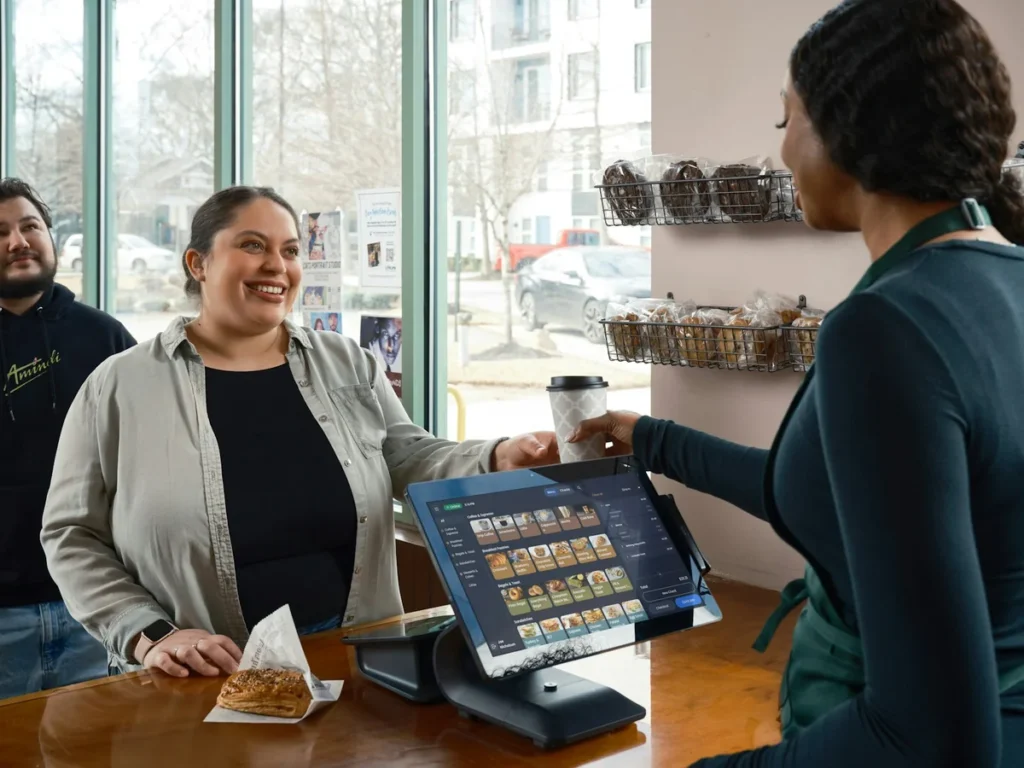
The best café POS comes down to one thing most lists skip: your ticket size. At $5–6 a cup, a 10-cent gap in transaction fees costs you more than the software plan does. Square and SumUp are the cheapest to start. Clover has the lowest processing rate. Loyverse is the only one with free, built-in loyalty. And if you want ordering, modifiers, a bar ticket and your end-of-day cash-up in one simple app, that’s Restaurant POS One, ranked first below, with where it’s not the right fit too.
Pricing on all eight is from each vendor’s own website, checked 2 October 2026.
Start here: which one fits your café?
| If your café is… | Look at first | Why |
|---|---|---|
| Counter-only, no seating, tight budget | Square Free, SumUp POS Lite | $0 software; you only pay processing |
| Busy espresso bar, long queues at peak | Clover, SumUp Connect | Lowest published per-transaction fixed fee, which matters most at a $5–6 ticket |
| Loyalty and repeat visits are core to the business | Loyverse | Loyalty is free and built in; most others charge extra or skip it |
| Some table seating alongside counter service | Restaurant POS One, SpotOn | Counter-to-table order handoff without a separate floor system |
| You also sell beans, merch or retail goods | Clover, Lightspeed | Stronger retail/inventory side than counter-only systems |
| Kitchen-heavy menu (not just drinks and pastries) | Restaurant POS One, Toast | Recipes, stock and supplier records alongside sales |
If your counter sells baked goods as the main product rather than drinks, our bakery POS comparison weighs ingredient-level recipe costing ahead of till speed, which changes the ranking.
The number café lists skip: the fixed fee bites harder at a $6 ticket
Every processor charges a percentage plus a fixed fee per transaction, typically 10–20 cents. On a $30 restaurant ticket that fixed fee is noise. On a $6 coffee, it’s a bigger share of the sale than the percentage rate. Take a one-till café doing $15,000 a month in card sales at a $6 average ticket, 2,500 transactions:
| Setup (published US rates) | Software / month | Processing / month | Total / month |
|---|---|---|---|
| Square Free (2.6% + 15¢, no KDS) | $0 | $765 | $765 |
| Clover, restaurant-coded (2.3% + 10¢) | ~$135 bundled | $595 | ≈$730 |
| SumUp Connect Lite (2.6% + 10¢) | $99 | $640 | $739 |
| SpotOn Essentials (2.45% + 15¢) | $55/station | $742.50 | ≈$797.50 |
| Toast Point of Sale (2.49% + 15¢) | $69 | $748.50 | ≈$817.50 |
Two things stand out:
- The spread between the cheapest and priciest option here is roughly $90 a month, almost entirely down to the fixed fee (10¢ vs 15¢) and the percentage rate, not the software plan. At 2,500 transactions a month, every extra cent of fixed fee costs $25.
- Clover’s lower processing rate is real, but it applies when you’re coded as a restaurant merchant and sold at Clover’s own published rate. Clover hardware is resold through thousands of banks and ISOs, and several independent reviews report effective rates as high as 4–5% through a reseller. Get your actual rate in writing before comparing it to this table.
Hardware, chargebacks, keyed-in rates and any online-ordering fees come on top of this. It’s a comparison baseline, not a quote.
The 8 best POS systems for cafés
1. Restaurant POS One — order, bar ticket and cash-up in one app
Pricing: from $49/month (illustrative; final pricing confirmed in your demo).
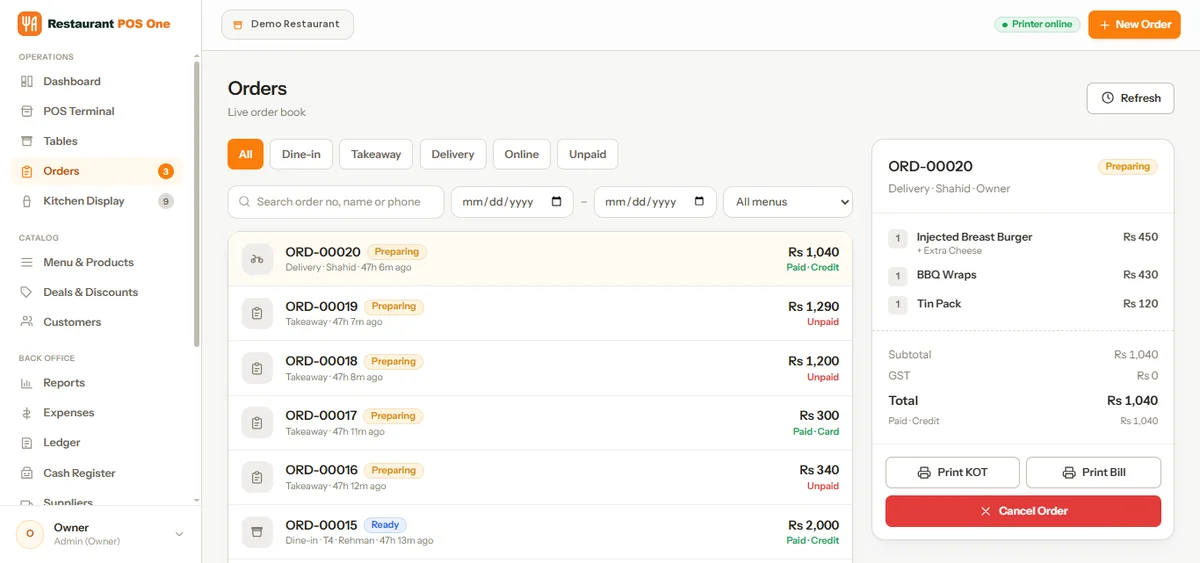
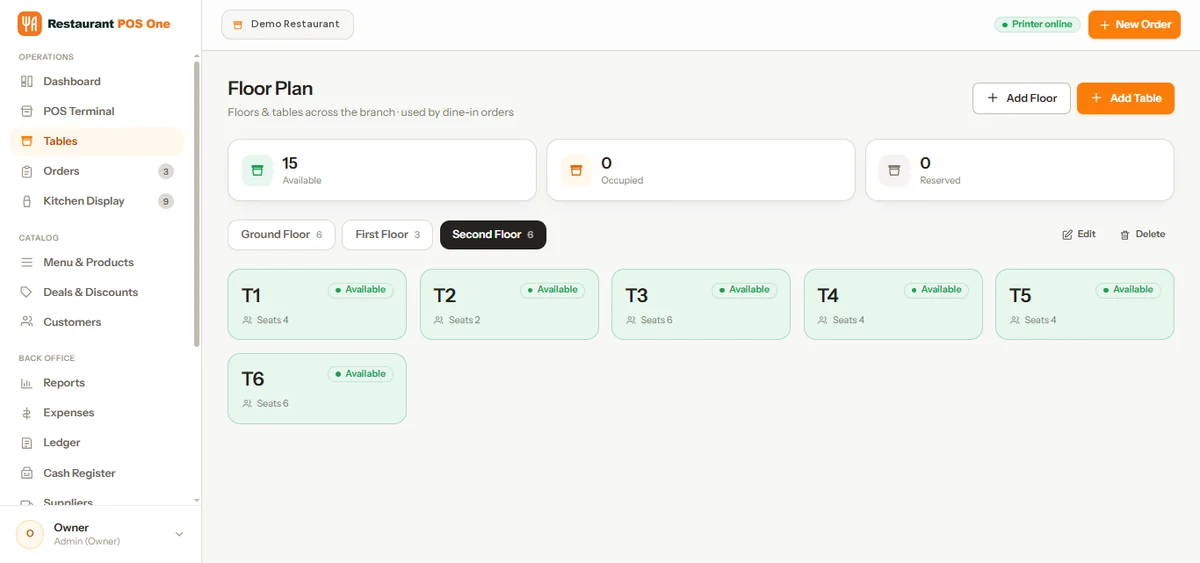
An order at the counter can carry a size, an added shot or syrup, and a combo deal, whether it’s for here or to go. It routes to the kitchen or bar as a printed ticket or a kitchen display, and the till stays open for the next customer while that drink is made. If your café also seats people, the same order can move from counter to table without switching systems.
- Inventory, units, recipes, purchases and supplier records alongside sales, useful if you’re tracking milk, beans and pastry cost per cup rather than guessing.
- Eight staff roles (admin, manager, cashier, waiter, rider, kitchen, HR, accountant) with PIN sign-in, so a part-time barista can’t see the ledger.
- Reports on sales, item results and cash flow for any date range, exportable as PDF or CSV.
- Runs in a browser on a desktop, tablet or phone, so you can start on hardware you already own.
Choose something else if: you need a confirmed US card processor, built-in loyalty, offline mode, or a large third-party app marketplace. None of those are confirmed on our site yet, so ask about them directly in a demo. It’s also a newer product without years of public café reviews behind it.
See the café workflow or book a demo with a real modifier order, for here and to go, and we’ll run it through the till, the bar ticket and the report.
2. Square — the easiest $0 start, until the kitchen display forces an upgrade
Square’s unified plans are Free ($0), Plus ($49/month) and Premium ($149/month), with in-person rates of 2.6%, 2.5% and 2.4% + 15¢. A kitchen display costs $30/device on Plus, $20 on Premium, and isn’t available on Free at all.
For a café that’s just a till and a espresso machine, Free can run indefinitely. The moment you add a bar ticket screen so the barista isn’t shouting drink names, you’re paying for Plus.
Best for: new cafés and kiosks that want to start today with no commitment. Watch for: the free plan’s missing kitchen display pushing you onto a paid tier as soon as volume picks up.
3. Clover — the lowest published processing rate, if you buy it right
Clover’s in-person rate for restaurant-coded merchants is 2.3% + 10¢, lower than Square’s and Toast’s published rates, and its strongest asset for a high-volume counter. Clover is sold both directly and through banks and resellers, so the same hardware can carry very different processing terms: bundled plans run about $135/month on a 36-month term, or roughly $1,699 upfront plus $89.95/month in software.
Clover’s retail side (menu-less item catalogues, barcode scanning) also makes it a strong fit if you sell bagged beans or merchandise at the counter.
Best for: busy counters where the per-transaction fee matters most, and cafés selling retail goods alongside drinks. Watch for: reseller pricing. The 2.3% figure is Clover’s own; get your specific contract’s rate in writing, since effective rates through some resellers run much higher.
4. SumUp — a newer, simpler step up from a bare card reader

SumUp’s basic card reader plan is $0/month software with 2.6% + 10¢ in person. Its POS plans add proper till software: Connect Lite $99/month, Connect Plus $199/month, Connect Pro $289/month, all at the same 2.6% + 10¢ rate.
It’s a straightforward option if you’ve outgrown a bare card reader but don’t need Clover’s retail depth or Toast’s full restaurant hardware line.
Best for: single-till cafés that want modifiers and reporting without a long-term contract. Watch for: fewer published integrations and a shorter US track record than Square, Toast or Clover.
5. Loyverse — the only one here with loyalty built in for free
Loyverse’s till, kitchen/bar display, customer display, loyalty programme and multi-store management are free. You pay for add-ons: advanced inventory $25/month per store, employee management $5/month per employee, unlimited sales history $5/month per store (without it, history covers 31 days). Card processing runs through a third-party provider you choose separately.
Where the other systems on this list either skip loyalty or charge extra for it, Loyverse includes stamps/points-style loyalty on its free plan, which matters if repeat visits are the backbone of your café.
Best for: small, loyalty-driven cafés and kiosks running on their own tablets. Watch for: you negotiate card processing separately, so get that rate before comparing totals to the table above.
6. Toast — restaurant-grade hardware, useful once your menu grows past drinks
Toast’s Point of Sale plan is $69/month with 2.49% + 15¢ processing. The Starter Kit drops the monthly fee and hardware cost to $0 in exchange for a higher flat processing rate (around 2.99% + 15¢ by third-party reports). Toast Payments is required either way.
Toast makes more sense once a café adds a real kitchen (breakfast sandwiches, bowls, a brunch menu) rather than staying drinks-and-pastry.
Best for: café-restaurant hybrids with a real kitchen line, not just an espresso bar. Watch for: you can’t bring your own processor, so the rate matters as much as the plan price.
7. SpotOn — month-to-month if you buy the hardware yourself
SpotOn’s Essentials plan is $55/station with 2.45% + 15¢ processing, month-to-month, hardware bought separately. The All-In plan drops the station fee to $0 but raises processing to 2.79% + 20¢ on a two-year term with processing minimums.
For most single-till cafés, Essentials works out cheaper once you factor in the two-year commitment on All-In.
Best for: cafés with some table seating that want staff and loyalty tools alongside the till. Watch for: the All-In plan’s minimums if you have a quiet season.
8. Lightspeed Restaurant — worth it once retail and inventory are the point
Lightspeed’s Starter plan is $69/month, Essential $189/month, Premium $399/month, with a kitchen display at $30/screen on every tier. Advanced inventory management, the feature a café selling retail goods usually wants, only starts at Essential.
That puts a realistic Lightspeed setup for a retail-leaning café at roughly $219/month before processing, which is high for a single till unless the inventory and multi-location tools are doing real work.
Best for: cafés planning a second location or running serious retail inventory (beans, merch) alongside drinks. Watch for: paying for Starter and discovering the inventory feature you wanted is gated to Essential.
Also considered, and why they’re not in the top 8
| System | Why not |
|---|---|
| TouchBistro | Leans table-service; already covered as a strong pick in our small-restaurant comparison |
| Oliver POS | Built on top of Shopify POS; a different buyer than a standalone café till |
| KORONA POS | Inventory/retail-first positioning; a narrower fit than a counter-service café needs |
| Epos Now | Hardware-bundle pricing that needs a support plan; stronger in the UK than the US |
| Revel Systems | Quote-only; built for larger and multi-unit operators |
| NCR Voyix (Aloha) | Enterprise-focused; overkill for one counter |
| Heartland Restaurant | Quote-based; processor-led sale |
| Owner.com | Online ordering and marketing, not an in-house POS |
What to test in any demo, whichever system you pick
Sales demos show the happy path. For a café specifically, ask to see:
- A full modifier order rung up fast: size, milk, shots, syrup, for here vs to go. Time it, and check how it prints on the bar/kitchen ticket.
- A loyalty punch or points redemption, if the system claims one. Ask what it actually looks like at the till, not in a slide.
- An item going out of stock mid-rush (oat milk runs out). How fast can you disable it?
- The end-of-day cash-up and a sales-by-item export, so you can see your best-sellers without calling support.
- The processing rate in writing, specifically for your merchant category, keyed-in rate and any online-ordering fee.
Our guide to choosing a restaurant POS covers running one order through a full demo checklist if you want the longer version.
How we chose
We started with 10 systems that appear in current US café/coffee-shop search results. We dropped two that lean table-service or multi-unit-restaurant (already covered in our small-restaurant comparison) and kept the retail-leaning and loyalty-forward options a drinks-and-counter business actually weighs. Pricing and plan details come from each vendor’s own pricing or help pages, checked on 2 October 2026, except Clover’s bundled software cost and Toast’s Starter Kit rate, which are from secondary sources as noted. We didn’t run hands-on tests of competitor systems, and we don’t claim to have done so. Processing rates especially change by merchant category and reseller, so get yours in writing before you sign.
Running a café and weighing these up? See the café workflow or book a demo with a real modifier order, for here and to go, and we’ll show you the till, the bar ticket and the report side by side with what you’re using now.
See how your own orders would work.
Bring an example order, the changes customers request and the devices you plan to use.
Book a product demo →